

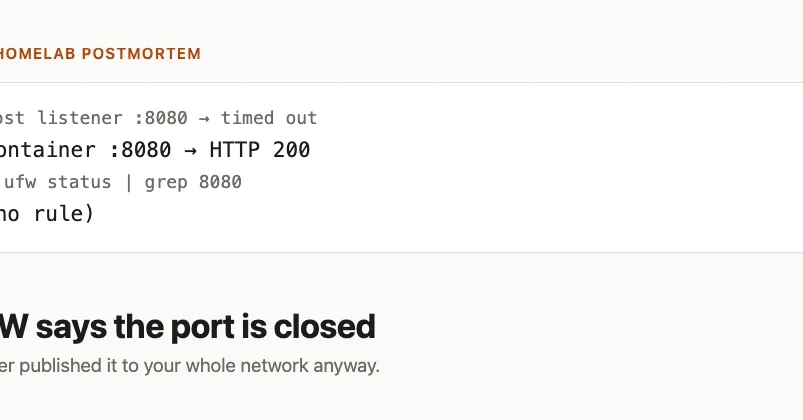
TL;DR : ufw enable on a Pi does what it says — until Docker is installed. Docker inserts its own chains ahead of UFW's in FORWARD , and DNATs published ports before UFW is ever consulted. Same port, same firewall, same deny (incoming) default: a host process is blocked and a container is reachable from the entire LAN. ufw status reports the port as not allowed in both cases. Bind to 127.0.0.1 explicitly, or put a rule in DOCKER-USER — both verified below. The demonstration One Pi 4B, Raspberry Pi OS Lite (Trixie), ufw active with a single rule for SSH: $ sudo ufw status verbose Status: active Logging: on ( low ) Default: deny ( incoming ) , allow ( outgoing ) , deny ( routed ) New profiles: skip

To Action From -- ------ ---- 22/tcp ALLOW IN Anywhere 22/tcp ( v6 ) ALLOW IN Anywhere ( v6 ) Port 8080 is not in that list, so it is denied. Start a plain listener on it: python3mhttp.server8080bind0.0.0.0FromanothermachineonthesameLAN:192.168.128.154:8080Connectiontimedoutafter6010millisecondsBlocked,exactlyasconfigured.Nowstopthat,andpublishthesameportfromacontainerinstead:python3 -m http.server 8080 --bind 0.0.0.0 From another machine on the same LAN: 192.168.128.154:8080 → Connection timed out after 6010 milliseconds Blocked, exactly as configured. Now stop that, and publish the same port from a container instead: sudo docker run -d --name ufwtest -p 8080:80 nginx:alpine sudodockerpsformat.Ports0.0.0.0:8080>80/tcp,:::8080>80/tcpufwstatusisunchangedstillnorulefor8080,stilldeny(incoming).Fromthesameothermachine:192.168.128.154:8080HTTP200Sameport.Samefirewall.Samepolicy.Oppositeoutcome,andthefirewallsownstatusoutputcannottellthetwosituationsapart.WhyithappensDockerwritesiptablesruleswhenitstarts,anditputsthematthefrontofthechainsthatmatter:sudo docker ps --format '{{.Ports}}' 0.0.0.0:8080->80/tcp, :::8080->80/tcp ufw status is unchanged — still no rule for 8080, still deny (incoming) . From the same other machine: 192.168.128.154:8080 → HTTP 200 Same port. Same firewall. Same policy. Opposite outcome, and the firewall's own status output cannot tell the two situations apart. Why it happens Docker writes iptables rules when it starts, and it puts them at the front of the chains that matter: sudo iptables -S FORWARD -P FORWARD DROP -A FORWARD -j DOCKER-USER -A FORWARD -j DOCKER-ISOLATION-STAGE-1 -A FORWARD -o docker0 -m conntrack --ctstate RELATED,ESTABLISHED -j ACCEPT -A FORWARD -o docker0 -j DOCKER -A FORWARD -i docker0 ! -o docker0 -j ACCEPT -A FORWARD -i docker0 -o docker0 -j ACCEPT -A FORWARD -j ufw-before-logging-forward ... DOCKER-USER and DOCKER come first. ufw-before-logging-forward — the entry point to everything UFW manages — comes after them. Traffic that Docker accepts never reaches a UFW rule. The actual redirection happens earlier still, in nat : sudoiptablestnatSDOCKERADOCKER!idocker0ptcpmtcpdport8080jDNATtodestination172.17.0.2:80ThepacketisDNATdtothecontainerbeforefilteringdecidesanything.BythetimeUFWsrulesareconsulted,thedestinationisnolongerthehost.Noneofthisisabuginthestrictsense.Dockerdocumentsthatitmanipulatesiptables,andpublishingaportisarequesttomakeitreachable.Theproblemisthatthetoolyouusetocheckwhetheraportisexposeddoesnotmodelthemechanismthatexposedit.ufwstatusreportsUFWsrules,correctly,andthoserulesgenuinelydonotallow8080.WhatastockPiactuallystartswithWorthknowing,becauseitchangeswhothisappliesto.OnafreshRaspberryPiOSLite(Trixie)install,iptablesisnotpresentatall:sudo iptables -t nat -S DOCKER -A DOCKER ! -i docker0 -p tcp -m tcp --dport 8080 -j DNAT --to-destination 172.17.0.2:80 The packet is DNAT'd to the container before filtering decides anything. By the time UFW's rules are consulted, the destination is no longer the host. None of this is a bug in the strict sense. Docker documents that it manipulates iptables, and publishing a port is a request to make it reachable. The problem is that the tool you use to check whether a port is exposed does not model the mechanism that exposed it. ufw status reports UFW's rules, correctly, and those rules genuinely do not allow 8080. What a stock Pi actually starts with Worth knowing, because it changes who this applies to. On a fresh Raspberry Pi OS Lite (Trixie) install, iptables is not present at all: ls /usr/sbin/iptables /sbin/iptables ls : cannot access '/usr/sbin/iptables' : No such file or directory ls : cannot access '/sbin/iptables' : No such file or directory dpkgqueryWf= dpkg-query -W -f = '{Status}' iptables unknown ok not-installed updatealternativeslistiptablesupdatealternatives:error:noalternativesforiptablesnftablesisinstalledbutitsserviceisdisabledandtherulesetisempty.Sotheboxshipswithnofirewallrunningandnoiptablesbinary.iptablesarrivesasadependencyofwhateveryouinstallfirst.aptinstallufwpullsitin,andthealternativeresolvestothenftbackend:update-alternatives --list iptables update-alternatives: error: no alternatives for iptables nftables is installed but its service is disabled and the ruleset is empty. So the box ships with no firewall running and no iptables binary. iptables arrives as a dependency of whatever you install first. apt install ufw pulls it in, and the alternative resolves to the nft backend: update-alternatives --display iptables iptables - auto mode link best version is /usr/sbin/iptables-nft link currently points to /usr/sbin/iptables-nft sudoiptablesversioniptablesv1.8.11(nftables)InstallingDockerafterwardsdidnotchangethatthealternativestayedoniptablesnft,andDebiansdocker.iopackagedoesnotdependoniptableslegacy.AdvicethatsaysDockerforcesthelegacybackenddidnotholdhere.Itmayhavebeentrueonearlierreleases;onthisimageitwasnt,andtheUFWbypassproblemhappensregardlessofwhichbackendisselected.ThefixTwothingswork.Bothweretestedagainstthesamecontainerandthesamefirewallstate.Bindthepublishedporttolocalhostwhenyoudontwantitonthenetwork.Thepflagtakesanaddress,andmostexamplesomitit,whichmeans0.0.0.0:sudo iptables --version iptables v1.8.11 ( nf_tables ) Installing Docker afterwards did not change that — the alternative stayed on iptables-nft , and Debian's docker.io package does not depend on iptables-legacy . Advice that says Docker forces the legacy backend did not hold here. It may have been true on earlier releases; on this image it wasn't, and the UFW-bypass problem happens regardless of which backend is selected. The fix Two things work. Both were tested against the same container and the same firewall state. Bind the published port to localhost when you don't want it on the network. The -p flag takes an address, and most examples omit it, which means 0.0.0.0 : sudo docker run -d --name fixA -p 127.0.0.1:8080:80 nginx:alpine sudodockerpsformat.Ports127.0.0.1:8080>80/tcplocalhost:8080HTTP200192.168.128.154:8080timedoutTheDNATrulestillexists;itsjustscopedtoloopback.Thisistherightdefaultforanythingbehindareverseproxy,whichonahomelabboxismostthings.OrfilterinDOCKERUSER,whichDockerevaluatesfirstandneverrewrites.ThatchainexistsspecificallysoyouhavesomewheretoputrulesthatsurviveDockerrestarts:sudoiptablesIDOCKERUSER1ptcpdport80mconntrackctstateNEW!s127.0.0.1jDROPsudo docker ps --format '{{.Ports}}' 127.0.0.1:8080->80/tcp localhost:8080 → HTTP 200 192.168.128.154:8080 → timed out The DNAT rule still exists; it's just scoped to loopback. This is the right default for anything behind a reverse proxy, which on a homelab box is most things. Or filter in DOCKER-USER , which Docker evaluates first and never rewrites. That chain exists specifically so you have somewhere to put rules that survive Docker restarts: sudo iptables -I DOCKER-USER 1 -p tcp --dport 80 -m conntrack --ctstate NEW ! -s 127.0.0.1 -j DROP sudo iptables -S DOCKER-USER -N DOCKER-USER -A DOCKER-USER ! -s 127.0.0.1/32 -p tcp -m tcp --dport 80 -m conntrack --ctstate NEW -j DROP -A DOCKER-USER -j RETURN 192.168.128.154:8080 → timed out Note the port in that rule is the container's port (80), not the published one (8080) — DOCKER-USER is in FORWARD , so it sees the packet after DNAT has already rewritten the destination. Writing --dport 8080 there matches nothing and silently does not protect you, which is its own small trap. Rules added this way are not persistent across reboots on their own; iptables-persistent , a systemd unit, or a tool like ufw-docker handles that. Whichever route you take, verify from another machine rather than from the Pi — curl localhost will succeed in every configuration above and tells you nothing. The generalisable habit This is the same shape as the swap file that isn't swap and the memory limit that isn't enforced : a tool reports on its own model of the world, and something outside that model is what actually decides. ufw status is not lying. It is answering "what rules does UFW have?" precisely. The question you had was "what can reach this machine?", and no single tool on the box answers that once two things are both writing firewall rules. So the habit worth building is narrow and cheap: test exposure from a different machine. One curl from a laptop settles in three seconds what an hour of reading rule listings will not, because it exercises the whole stack instead of one layer's opinion of it. And when you install something that manages its own firewall rules — Docker, Tailscale, libvirt, k3s — assume it did, and go look at the chain order once. The ordering is the entire behaviour, and it is visible in one command. Toolkit This post's fix is available as a tested, ready-to-run script in the toolkit. See the toolkit →