National University Ask Us!: New NU Library Answers
NU LibChat Widget How do I find articles and resources about influential historical figures in Social Work? Please see our guide in the Library for Social Work Pioneers. Strategies for locating articles and resources about influential historical figures in social work are listed below: - Start your search in NavigatorSearch, the library's central search box on the homepage. - Conduct a search us…

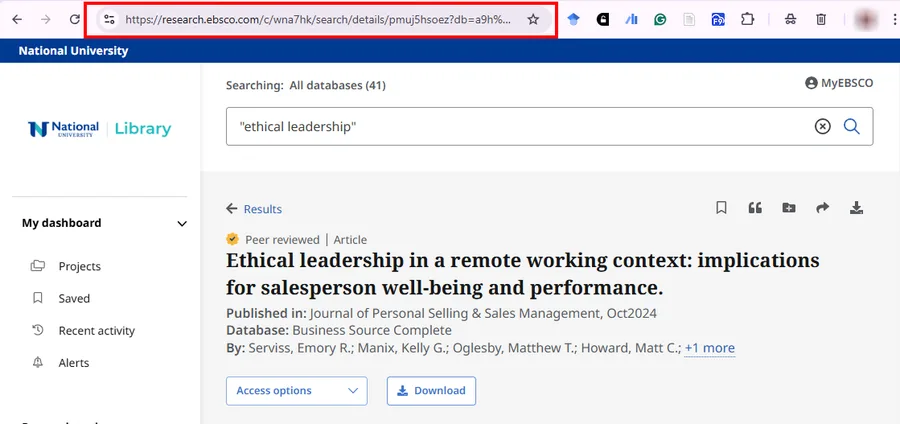
info This is a space for the teal alert bar. notifications This is a space for the yellow alert bar. Browse: In some databases, the address (URL) in your browser bar will expire after your session ends. You'll need to create a permalink or stable link that you can bookmark or share with others. Instructions for creating permalinks to articles in EBSCO, ProQuest, and JSTOR are below. If you need h…

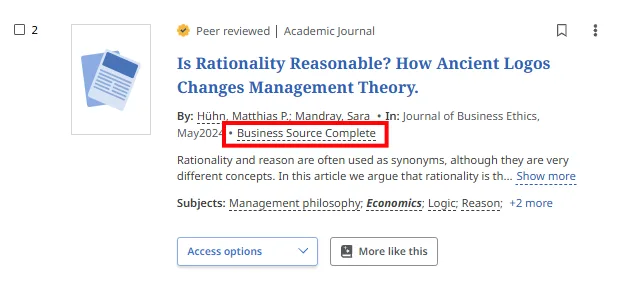
NU LibChat Widget What is NavigatorSearch? How do I use it? - What is NavigatorSearch? - When I do a search right from the box on the Library home page, am I searching all of the Library databases? - I retrieved articles using a NavigatorSearch. How do I know which Library database the articles came from? - What do the options on the left and right of the search results do? - I checked the Full T…

info This is a space for the teal alert bar. notifications This is a space for the yellow alert bar. Browse: The best way to quickly access articles available in the databases is to use persistent links. A persistent URL (PURL) is a durable link that connects you directly to an article, eBook, or other item in the Library. For a detailed explanation about persistent links, including database scre…

info This is a space for the teal alert bar. notifications This is a space for the yellow alert bar. Browse: The "A System Problem has Occurred" error message in NavigatorSearch or EBSCOhost databases is usually due to a browser cache issue, preventing the database and search interface from properly loading the current page or resource. Here is an example of the error screen: To troubleshoot the …

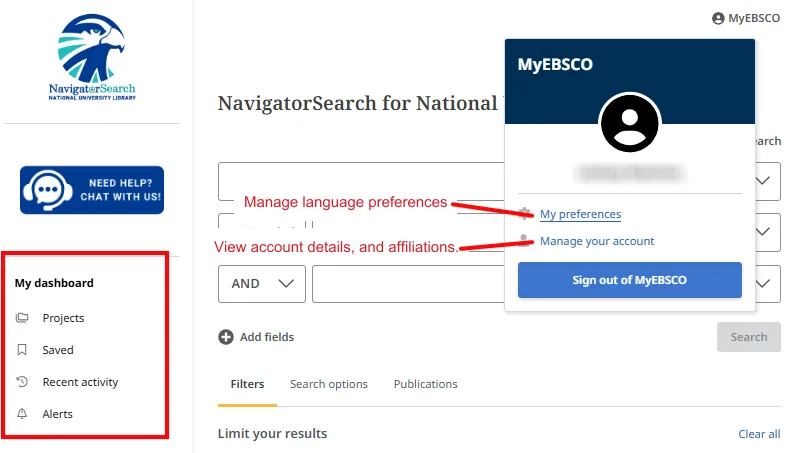
NU LibChat Widget How do I use MyEBSCO Folders to save articles and searches in the NavigatorSearch? Your personal MyEBSCO account has been automatically created for you. you have your own personal area, My Dashboard, to collect and store information across sessions. All the items you save to your Saved items remain there until you remove them. Only you can access your dashboard. See: How do I ge…

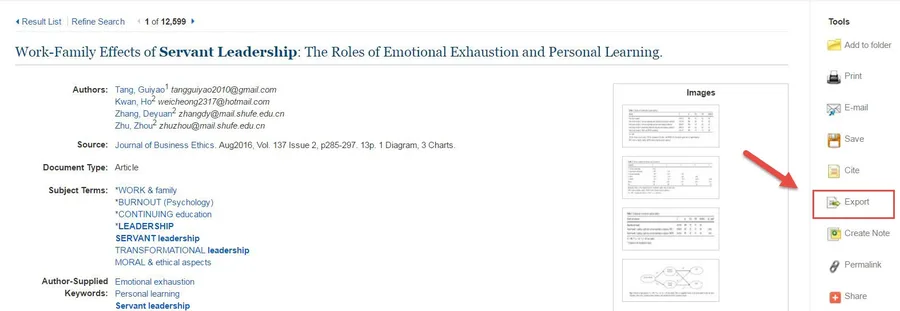
NU LibChat Widget How do I import citations to my EndNote account? Importing citation files in .enw or .ris format is the most effective way to add citations to your EndNote account.   The Library’s NavigatorSearch has a Direct Export to EndNote Web feature, but this has not been successful consistently. Instructions for how to import citation files to your EndNote account from NavigatorSearch ar…

info This is a space for the teal alert bar. notifications This is a space for the yellow alert bar. Browse: The National University Library is pleased to offer our alumni free access to a limited number of library databases. The Alumni Library Resources and Services Guide contains links to all of the resources available to alumni. To access a particular database, you will be required to log in w…

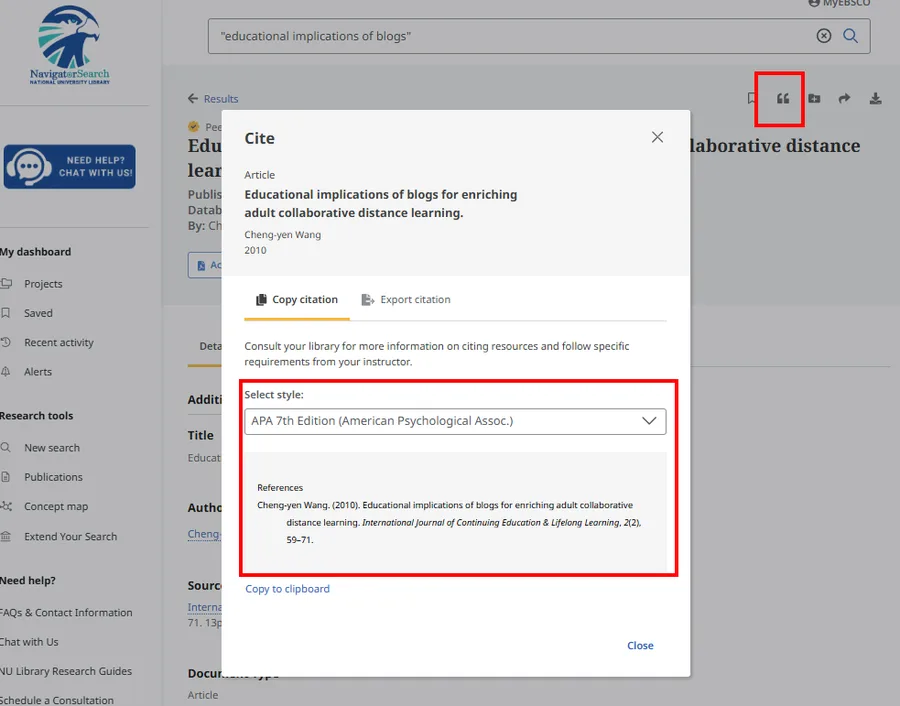
NU LibChat Widget When using the Cite button in NavigatorSearch or EBSCOhost, the APA formatted citations are incorrect. Why is the format inaccurate? Cite Feature When using the Cite feature available within NavigatorSearch and the EBSCOhost databases, please keep in mind that the citations are automatically machine-generated and are likely to contain errors. The following note is displayed abov…

info This is a space for the teal alert bar. notifications This is a space for the yellow alert bar. Browse: The Academic Success Center (ASC) offers several ways to support you with APA style—whether you need quick guidance or more in-depth help. Didn't get the answer you needed? Contact a librarian through email, phone, SMS, or chat for personalized assistance!

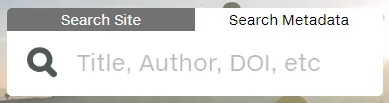
info This is a space for the teal alert bar. notifications This is a space for the yellow alert bar. Browse: A DOI (Digital Object Identifier) is a unique, permanent link to a specific article or digital resource. Think of it as a stable URL that will always take you to the item, even if the website changes. A DOI is made up of two parts (a prefix and a suffix), separated by a slash: Example DOI:…

info This is a space for the teal alert bar. notifications This is a space for the yellow alert bar. Browse: Start by using the DOI as a link (https://doi.org/)—it’s usually the fastest and easiest option. Here are the easiest ways to use it: 1. Copy the DOI (for example: 10.1000/xyz123 ) 2. Paste it into your browser after: https://doi.org/ Example: https://doi.org/10.1000/xyz123 This will usual…

info This is a space for the teal alert bar. notifications This is a space for the yellow alert bar. Browse: You can contact the IT Service Desk anytime for help with technical issues: The IT Service Desk is available 24/7/365 to assist students, faculty, and staff. If you’re experiencing a technical issue, reaching out by phone is often the fastest way to get support. Didn't get the answer you n…

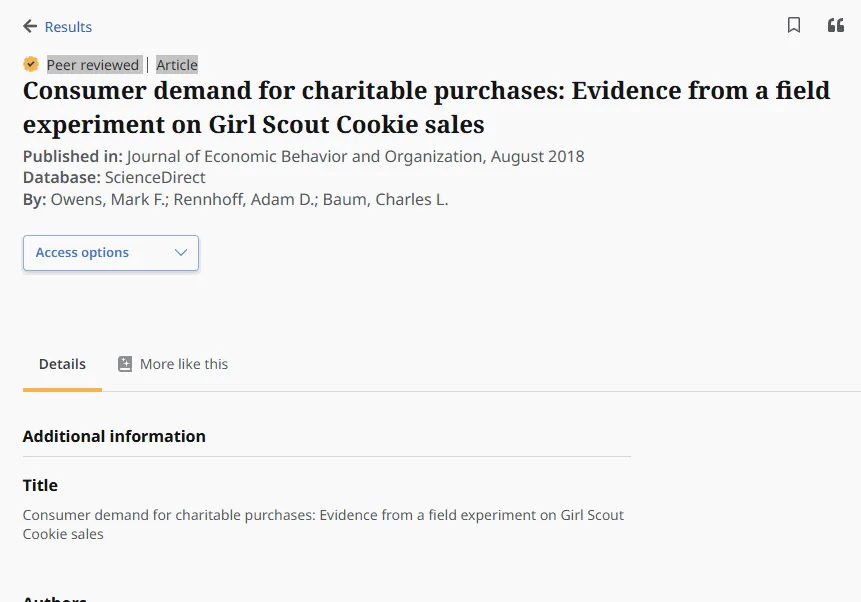
NU LibChat Widget How do I find a DOI (Digital Object Identifier)? Begin by checking the article record in the database—this is the quickest and most reliable first step. A DOI is a unique, permanent link to an article. Not all articles have DOIs—especially older publications (pre-2000)—so it’s normal if you don’t always find one. Start here: Check the article record - In a Library database, clic…

info This is a space for the teal alert bar. notifications This is a space for the yellow alert bar. Browse: Many Library databases can automatically generate an APA citation for you. Here’s how to find it: You may look for similar citation options within many other Library databases. Contact the Library if you have questions about which databases provide this feature and where to locate it. Data…

info This is a space for the teal alert bar. notifications This is a space for the yellow alert bar. Browse: An accession number (sometimes called a document ID) is a unique number assigned to an article within a specific database. It helps identify and locate that article in that database. For more information about DOI numbers, please refer to this FAQ. If a database uses accession numbers (suc…

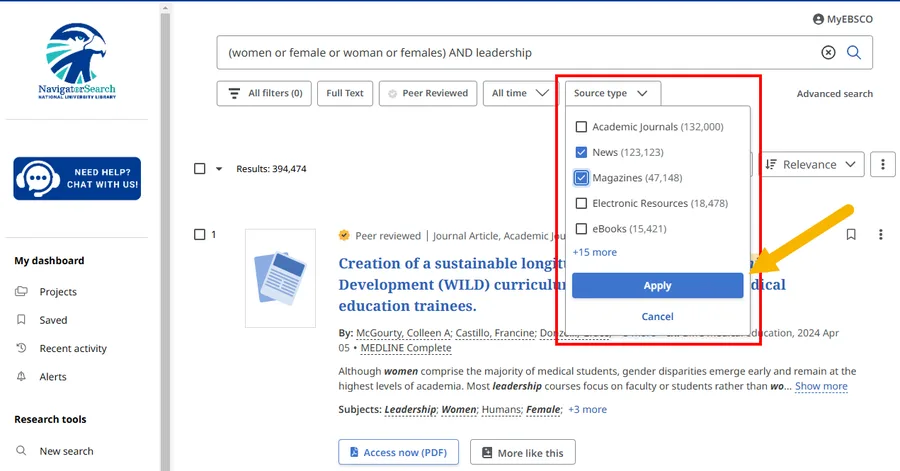
info This is a space for the teal alert bar. notifications This is a space for the yellow alert bar. Browse: You have a few options, depending on what you’re looking for: For step-by-step help, visit our "How do I locate a specific publication in the library?" FAQ. Some databases let you limit to newspapers and magazines: You can also find recommended newspapers and magazines in Library Guides: D…

info This is a space for the teal alert bar. notifications This is a space for the yellow alert bar. Browse: Yes—if you’re an alumnus of National University, Northcentral University, or John F. Kennedy University, you can access some selected library resources even after graduation. Please see the Alumni Library Resources and Services Guide to learn more. Didn't get the answer you needed? Contact…

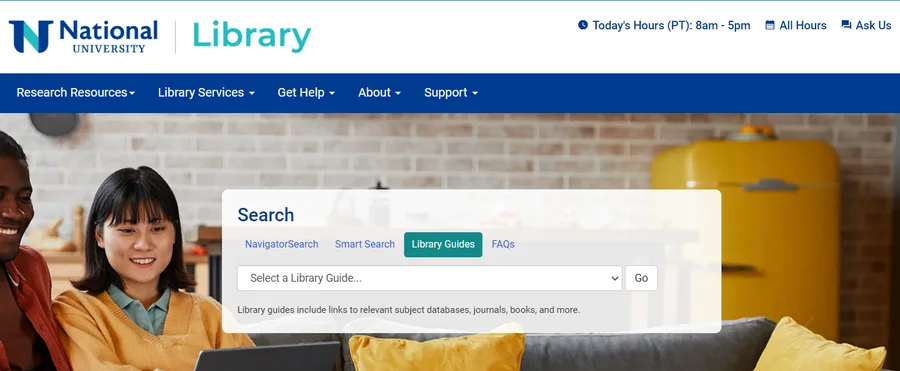
info This is a space for the teal alert bar. notifications This is a space for the yellow alert bar. Browse: You can find LibGuides directly from the NU Library website in just a few steps: Once you open the Library Guides page, you can explore: Didn't get the answer you needed? Contact a librarian through email, phone, SMS, or chat for personalized assistance!

research.ioresearch.io

Sign up to keep scrolling

Create your feed subscriptions, save articles, keep scrolling.

Already have an account?