

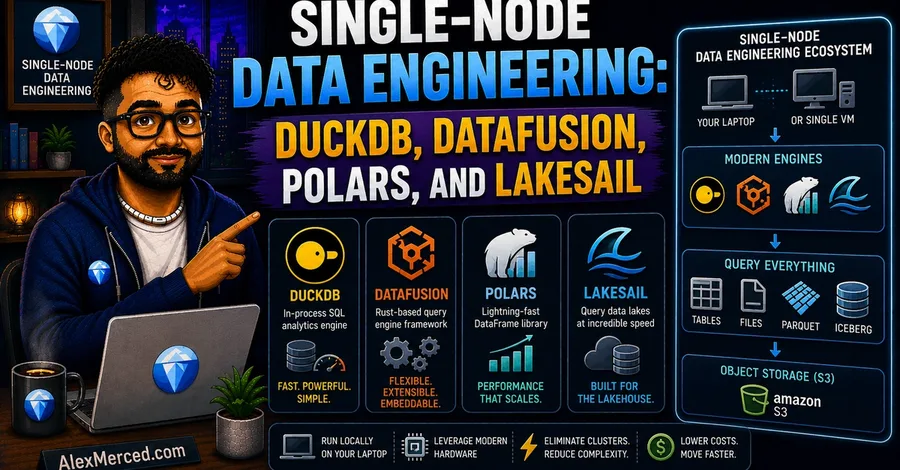

For the past decade, data engineering was synonymous with distributed clusters. If your dataset exceeded a few gigabytes, standard practice dictated spinning up an Apache Spark cluster on AWS EMR or Databricks. This distributed paradigm introduced massive operational complexity: managing JVM configurations, allocating executors, tuning shuffle partitions, and paying a substantial "serialization tax" to move data across network sockets and language runtimes. Recently, the data engineering landscape has experienced a single-node renaissance. Rather than scaling out to distributed clusters, teams are scaling up on single machines. Modern laptops ship with 12 or more CPU cores, fast NVMe SSDs capable of multi-gigabyte-per-second read throughput, and up to 128 GB of RAM. Cloud providers offer single virtual machines with hundreds of cores and terabytes of memory for a fraction of the cost of a Kubernetes or Spark cluster. This physical hardware evolution is only half the story. The true catalyst is a new generation of data technologies built on Apache Arrow, vectorized execution, and out-of-core memory management. Tools like DuckDB, Apache Arrow DataFusion, Polars, and LakeSail enable a single laptop or VM to process hundreds of gigabytes—and even terabytes—of data. You can now execute complex analytical pipelines locally or on a single node without the overhead of a distributed JVM runtime. The Core Foundations: Columnar Memory and Apache Arrow To understand how single-node data engineering can process datasets that previously required hundreds of cluster nodes, you must look at how data is structured in memory. Traditional databases and processing runtimes designed for transactional workloads (OLTP) use row-oriented layouts. They store all fields of a single record contiguously in memory: [User_ID, Age, Name] , followed by the next record. When executing analytical queries (OLAP) that only target a subset of columns (such as calculating the average age of users), a row-oriented engine must scan the entire record structure from memory. This process loads irrelevant data (like names and IDs) into the CPU's L1/L2 caches, leading to cache pollution and wasted memory bandwidth. Columnar query engines solve this inefficiency by storing data contiguously by column: [Age, Age, Age] in one buffer, and [Name, Name, Name] in another. The CPU only reads the specific columns required by the query. Row-Oriented Layout (OLTP): ┌──────────────────────────────┬──────────────────────────────┐ │ ID 1 │ Age 1 │ Name 1 │ ID 2 │ Age 2 │ Name 2 │ └──────────────────────────────┴──────────────────────────────┘
Columnar Layout (Arrow/OLAP): ┌──────────┬──────────┐ ┌──────────┬──────────┐ ┌──────────┬──────────┐ │ ID 1 │ ID 2 │ │ Age 1 │ Age 2 │ │ Name 1 │ Name 2 │ └──────────┴──────────┘ └──────────┴──────────┘ └──────────┴──────────┘ Apache Arrow standardizes this columnar memory layout. It defines an open-source, language-independent specification for in-memory columnar data. By establishing a shared memory format, Arrow eliminates the serialization tax that historically slowed down data pipelines. In traditional architectures, passing data between a Python script and a Java or C++ engine required serializing the data into a byte stream (like JSON or Protobuf) and deserializing it on the other side. This serialization tax frequently consumed up to 80% of the total query execution time. Arrow enables zero-copy Inter-Process Communication (IPC). Because Arrow represents data in memory exactly the same way across Python, Rust, and C++, different processes can memory-map (mmap) the same physical memory buffers. An engine can pass a dataset to Python for machine learning or visualization by exchanging memory pointers. No bytes are copied, and no serialization occurs. Furthermore, Arrow's contiguous memory alignment matches the layout of modern CPU cache lines, making it straightforward to utilize Single Instruction, Multiple Data (SIMD) instruction sets (such as AVX-512 on Intel/AMD or Neon on ARM). SIMD allows the CPU to apply a single instruction (such as a filter comparison or an arithmetic addition) to a vector of data points in a single clock cycle. This hardware-level parallelism turns data processing from a memory-bound or CPU-bound bottleneck into an efficient operation running directly on the processor. In-Process SQL Powerhouse: DuckDB Architecture & Features DuckDB has become the standard database engine for single-node SQL analytics. Designed as an in-process analytical database, DuckDB runs directly inside the host process (such as a Python interpreter or a CLI binary) rather than as a separate server daemon. This eliminates the network socket latency and IPC overhead of client-server databases like PostgreSQL or Snowflake. DuckDB's execution engine utilizes a vectorized query execution model. Rather than processing data one row at a time (the Volcano iterator model) or processing entire columns at once (which overflows L1/L2 caches for large tables), DuckDB processes data in small, cache-friendly vectors. These vectors typically contain 2048 elements. Volcano Model: [Row 1] ──► [Operator] ──► [Row 2] ──► [Operator] Column-at-a-time: [Entire Column (10M rows)] ──► [Operator] (Overflows Cache) Vectorized Model: [Vector of 2048 rows] ──► [L1/L2 CPU Cache] ──► [Operator] By keeping these vectors small enough to fit inside the CPU's L1/L2 cache, DuckDB minimizes memory bandwidth bottlenecks. The CPU executes operations on the vectors using SIMD instructions, keeping the execution pipelines saturated with data. To handle datasets that exceed physical RAM, DuckDB implements out-of-core execution. When memory consumption reaches a user-defined limit, DuckDB's buffer manager automatically spills intermediate query states (such as hash join tables, sorting buffers, or aggregation states) to temporary disk files. This spilling mechanism uses a block-based buffer pool that page-faults data to disk, allowing you to run queries on datasets that are multiple times larger than your system's RAM. In the latest v1.5.3 release (May 2026), DuckDB has introduced several updates that expand its single-node utility: Quack Remote Protocol: DuckDB now ships with a core extension implementing the Quack protocol. This protocol allows users to run DuckDB in a client-server configuration when needed, facilitating remote attachments and remote query orchestration without losing the simplicity of the engine. Ecosystem and Format Updates: The Iceberg extension has been upgraded to support MERGE INTO operations, making it possible to execute complex delta updates on Iceberg tables directly from a local DuckDB session. AWS Security and IRSA: Native support for IAM Roles for Service Accounts (IRSA) has been added, simplifying secure S3 access when running DuckDB inside containerized single-node pipelines. Static Linking: The distribution now statically links jemalloc on Linux platforms, improving memory allocation speed and reducing fragmentation during heavy out-of-core spilling. The following Python script illustrates how to configure DuckDB's memory limits, register an S3 credential using the new AWS extension features, and run a query that spills to disk: import duckdb # Initialize DuckDB connection con = duckdb . connect ( database = ' local_cache.db ' ) # Set memory limit to force out-of-core spilling on smaller datasets con . execute ( " SET max_memory= ' 8GB ' ; " ) con . execute ( " SET temp_directory= ' ./duckdb_temp ' ; " ) # Load S3 and AWS extensions (built-in in v1.5.3) con . execute ( " INSTALL aws; " ) con . execute ( " LOAD aws; " ) # Autodetect AWS credentials from environment (supports IRSA) con . execute ( " CALL load_aws_credentials(); " ) # Query a large Parquet dataset directly on S3 with predicate pushdown
DuckDB only downloads the columns and row groups that match the filter query = """ SELECT
    user_id,
    COUNT(event_id) as event_count,
    AVG(session_duration) as avg_duration
FROM read_parquet( ' s3://my-lakehouse/bronze/events/**/*.parquet ' )
WHERE event_date >= ' 2026-01-01 ' GROUP BY user_id
HAVING event_count > 1000
ORDER BY avg_duration DESC """ # Execute and stream results result = con . execute ( query ). fetchdf () print ( result . head ()) DuckDB's combination of SQL support, vectorized performance, and out-of-core stability makes it a core tool for local analytical workloads. Extensible Rust Processing: Apache Arrow DataFusion While DuckDB is packaged as an analytical database, Apache Arrow DataFusion is designed as an extensible query engine framework. Written in Rust and utilizing Apache Arrow as its native memory format, DataFusion is widely used to build other databases, query engines, and custom data platforms (including Bauplan, Spice.ai, and LakeSail). DataFusion's design is modular. It decouples the query planning, optimization, and execution stages. If you are building a custom data tool, you can register custom catalogs, write user-defined logical optimization rules (like custom predicate pushdowns), or plug in custom physical execution nodes. For thread-level parallelism, DataFusion utilizes Rust's asynchronous Tokio runtime. Rather than pinning execution to a fixed number of threads, DataFusion distributes physical plan fragments (represented as asynchronous streams of Arrow RecordBatch objects) across a Tokio worker thread pool. This allows the engine to adapt to multi-core architectures and avoid thread contention under heavy I/O loads. In the recent v53.x and v54.x releases (early-to-mid 2026), the DataFusion community has introduced several optimizations: Datetime Predicate Preimages: DataFusion now optimizes queries containing datetime functions (like date_trunc and date_part ) by evaluating their mathematical "preimages." Instead of executing the datetime function on every row, the optimizer rewrites the filter predicate against the raw partition bounds, enabling partition pruning. Sort Pushdown Phase 2: The engine now sorts file groups by physical statistics before executing sort operators. If a set of Parquet files contains non-overlapping sorted ranges, DataFusion skips the global sort merge step, reducing planning and CPU execution times. Null-Aware Anti-Joins: Support has been optimized for null-aware anti-joins, which frequently occur in SQL queries containing NOT IN clauses. Variant Type Integration: The planner has introduced initial support for the binary VARIANT format, laying the groundwork for format-agnostic semi-structured data querying. The following Rust code snippet demonstrates how to initialize a DataFusion context, register an in-memory Arrow table, and execute a query programmatically: use datafusion :: prelude :: * ; use datafusion :: arrow :: record_batch :: RecordBatch ; use datafusion :: arrow :: schema ::{ DataType , Field , Schema }; use datafusion :: arrow :: array ::{ Int32Array , StringArray }; use std :: sync :: Arc ; #[tokio::main] async fn main () -> datafusion :: error :: Result < () > { // Create a local execution context let ctx = SessionContext :: new (); // Define a simple schema let schema = Arc :: new ( Schema :: new ( vec! [ Field :: new ( "id" , DataType :: Int32 , false ), Field :: new ( "name" , DataType :: Utf8 , false ), ])); // Create Arrow arrays let id_array = Int32Array :: from ( vec! [ 1 , 2 , 3 , 4 , 5 ]); let name_array = StringArray :: from ( vec! [ "Alice" , "Bob" , "Charlie" , "David" , "Eve" ]); // Build the record batch let batch = RecordBatch :: try_new ( schema .clone (), vec! [ Arc :: new ( id_array ), Arc :: new ( name_array )], ) ? ; // Register the record batch as an in-memory table ctx .register_batch ( "users" , batch ) ? ; // Execute SQL query let df = ctx .sql ( "SELECT name FROM users WHERE id > 2" ) .await ? ; // Print the physical execution plan df .show () .await ? ; Ok (()) } This library-first model makes DataFusion the preferred choice for teams building specialized, high-performance data systems. Vectorized DataFrames: Polars Eager & Lazy Pipelines For developers working in Python, Rust, or JavaScript, DataFrames are the preferred API for data manipulation. While Pandas has been the standard in Python for a decade, it is single-threaded, has a high memory footprint (often requiring 5–10x the dataset size in RAM), and does not support query optimization. Polars is a Rust-native, Arrow-backed DataFrame library designed to replace Pandas. It is optimized for multi-core execution, utilizing a custom work-stealing CPU scheduler that distributes execution chunks across available cores. Polars offers two execution modes: Eager API: Executes operations immediately, step-by-step, mimicking Pandas' behavior. This mode is useful for interactive debugging in Jupyter Notebooks. Lazy API: Builds a logical Directed Acyclic Graph (DAG) representing the pipeline. When you call .collect() , Polars passes the DAG through a query optimizer. The optimizer applies several rules: Projection Pushdown: Only reads the columns explicitly referenced in the query. Predicate Pushdown: Moves filter operations as close to the storage layer as possible (pushing them down into the Parquet reader). Common Subexpression Elimination: Identifies duplicate calculations and executes them once. Eager: Load File (All Columns) ──► Filter Rows ──► Select Columns
Lazy: Query Planner ──► Push Filter & Select Into File Reader ──► Load File (Filtered & Pruned) In 2026, the Polars team officially stabilized its streaming execution engine. This engine allows out-of-core DataFrame execution on datasets that exceed physical memory limits. The streaming engine now supports: Streaming Merge and AsOf Joins: Useful for temporal alignments (such as joining financial tick data or IoT sensor metrics). Streaming Aggregations: Complex statistical calculations (including skew, kurtosis, and entropy) can now run in streaming mode. Direct Cloud Sinks: Polars can stream data directly back to storage formats like Delta Lake ( sink_delta ) and Apache Iceberg ( sink_iceberg ) without materializing the intermediate tables. To enable the streaming engine, developers configure Polars to use the streaming execution path: import polars as pl # Enable streaming engine affinity globally pl . Config . set_engine_affinity ( " streaming " ) # Define a Lazy pipeline querying a folder of compressed CSVs lazy_query = ( pl . scan_csv ( " ./data/raw_metrics/*.csv " ) . filter ( pl . col ( " metric_type " ) == " cpu_utilization " ) . with_columns ( ( pl . col ( " metric_value " ) * 100 ). alias ( " percentage " ) ) . group_by ([ " host_id " , " timestamp " ]) . agg ([ pl . col ( " percentage " ). mean (). alias ( " mean_cpu " ), pl . col ( " percentage " ). skew (). alias ( " skew_cpu " ) # Uses new streaming aggregations ]) . sort ( " mean_cpu " , descending = True ) ) # Execute the query out-of-core using the streaming engine
This will process files in batches, avoiding Out-Of-Memory (OOM) crashes result_df = lazy_query . collect ( streaming = True ) print ( result_df . head ()) Polars' combination of an expressive DataFrame API, lazy query optimization, and stabilized streaming makes it a powerful engine for Python and Rust developers. Comparative Analysis: Evaluating Single-Node Engines Choosing the right tool requires evaluating their architectural differences and primary API surfaces: Key Tradeoffs to Consider API Choice: If your team writes standard SQL, DuckDB is the logical starting point. If you write procedural code, Polars' expression language is more expressive and easier to parallelize than SQL. Extensibility vs. Out-of-the-Box Utility: DuckDB and Polars are complete user-facing applications. DataFusion is an engine framework. You use DataFusion if you are building a custom database or need to modify how the physical query execution layer functions. Memory Footprint: DataFusion and Polars generally maintain a lower memory footprint than DuckDB for in-memory operations due to Rust's memory management model and direct mapping to Arrow structures. However, DuckDB's buffer manager is more mature for highly complex queries that require massive disk spilling. Zero-JVM Spark: High-Performance Pipelines with LakeSail For teams with existing data codebases, the primary blocker to adopting single-node tools is the legacy API footprint. Many organizations have thousands of lines of Apache Spark code written in PySpark. Rewriting these pipelines to DuckDB SQL or Polars DataFrames is expensive and introduces validation risks. Historically, running PySpark locally required spinning up a local Spark cluster. This cluster runs on the Java Virtual Machine (JVM), which introduces significant configuration complexity and memory overhead. A default local Spark session can easily consume 4 GB of RAM just to start, even when processing a 10 MB CSV file. Furthermore, PySpark operates via a Py4J gateway bridge. When your PySpark code calls a Python User-Defined Function (UDF), the data must be serialized, sent from the JVM to a Python worker process, processed, serialized again, and sent back to the JVM. This cross-process serialization tax makes Python UDF execution in Spark slow. Traditional PySpark UDF Path:
[JVM Executor] ──(Serialize via Py4J)──► [Python Worker] ──► [Run UDF] ──(Serialize)──► [JVM Executor] LakeSail (specifically the open-source Sail engine) solves this constraint. Sail is a Rust-native, JVM-free compute engine designed as a drop-in replacement for Apache Spark. It implements the Spark Connect protocol, allowing existing PySpark and Spark SQL applications to run unmodified by connecting to a Sail server over gRPC. LakeSail PySpark Connect Path: [PySpark Session] ──(Spark Connect gRPC Logical Plan)──► [LakeSail Rust Server] ──► [DataFusion Physical Execution] Under the hood, Sail replaces Spark's JVM-based Catalyst optimizer and Tungsten execution engine with Apache DataFusion and Apache Arrow. This architecture provides several advantages: Zero JVM Overhead: Sail starts in milliseconds and has a negligible idle memory footprint. You can run Spark code on small single-core VMs or local laptops. Zero-Copy Python UDF Execution: Sail embeds a Python interpreter directly into its Rust binary using PyO3. When executing a Python UDF, Sail passes pointers to the Arrow memory buffers directly to the Python interpreter. The UDF executes in-process without serialization, eliminating the cross-process Py4J bottleneck. Native Open Formats: Sail includes native Rust-based support for Delta Lake, Apache Iceberg, and Parquet, integrating directly with AWS Glue, Unity Catalog, and Polaris REST catalogs. To run your PySpark pipelines against a local Sail session, you install the packages and point the session builder to the local Sail gRPC port: # Install pysail and PySpark client supporting Spark Connect pip install pysail pyspark Start the Sail server from your terminal: # Start local Sail gRPC server on port 50051 sail spark server --port 50051 In your Python code, connect the SparkSession to the local Sail server using the standard remote connection string: from pyspark.sql import SparkSession from pyspark.sql.functions import col , udf from pyspark.sql.types import IntegerType # Connect to the local Sail Rust-native server over Spark Connect protocol spark = SparkSession . builder \ . remote ( " sc://localhost:50051 " ) \ . getOrCreate () # Load a local Parquet dataset using standard Spark DataFrame API df = spark . read . parquet ( " ./data/raw_orders " ) # Define a standard Python UDF @udf ( returnType = IntegerType ()) def calculate_tax ( amount ): # This runs in-process via Sail's PyO3 integration # Zero serialization tax is paid between Rust and Python return int ( amount * 0.08 ) # Execute transformations and show results processed_df = df . filter ( col ( " status " ) == " COMPLETED " ) \ . withColumn ( " tax " , calculate_tax