

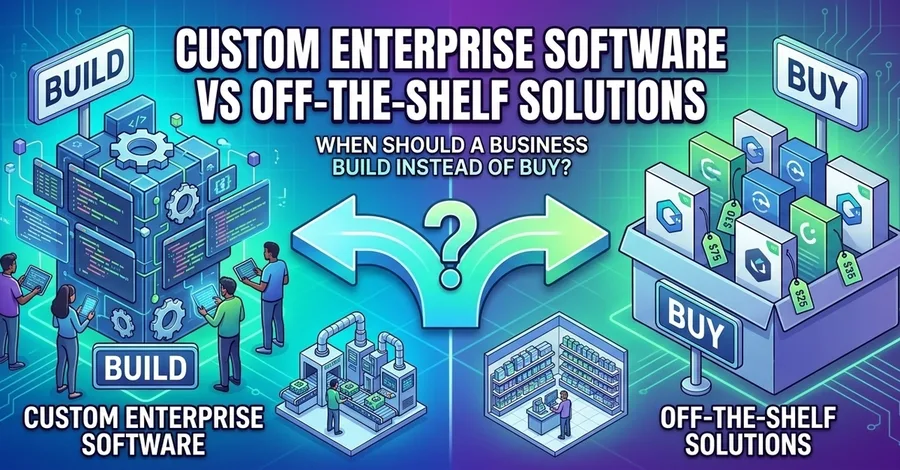

Choosing software for a business often starts with a seemingly simple question: Should we build our own software or buy an existing solution? The answer is rarely as simple as choosing between custom development and an off-the-shelf product. A business may find an existing SaaS product that solves 80% of its requirements within days. Another organization may discover that adapting its processes to that same product would create unnecessary complexity. A third business may already have several systems in place and discover that the real problem is not the absence of software, but the inability of those systems to communicate with one another. This is why the build-vs-buy decision should be treated as a business and technology decision rather than simply a development decision. The right question is not: "Should we build or buy?" It is: "What approach gives the business the best long-term outcome when requirements, cost, integrations, scalability, maintenance, security, and strategic value are considered together?" This article explores how businesses can evaluate that decision and determine when custom enterprise software makes sense—and when an off-the-shelf solution is the better choice. What Is Off-the-Shelf Software? Off-the-shelf software is a pre-built product designed to serve the needs of a broad group of customers. Examples can include: Accounting software CRM platforms Project management tools HR systems E-commerce platforms ERP systems Marketing automation platforms Help desk software Communication tools Analytics platforms Instead of developing the software internally, a business subscribes to or purchases an existing product. The basic model looks like this: Software Vendor ↓ Pre-built Product ↓ Business Configuration ↓ Users ↓ Business Operations The major advantage is speed. The organization does not have to design, develop, test, deploy, and maintain the entire application from scratch. However, the software was designed for a broad market. That means the business may need to adapt some of its processes to the product. What Is Custom Enterprise Software? Custom enterprise software is software developed specifically for the requirements of a particular organization, business unit, or operational problem. Instead of starting with: "What does this software already do?" the organization starts with: "What does the business actually need?" The process may look like this: Business Requirements ↓ Process Analysis ↓ System Design ↓ Development ↓ Testing ↓ Deployment ↓ Maintenance ↓ Continuous Improvement Custom software can be designed around the organization's existing workflows and technical environment. It can also be designed to solve problems that existing products do not address effectively. But customization comes with responsibility. The organization may become responsible for development, infrastructure, security, documentation, monitoring, maintenance, upgrades, and technical continuity. That is why custom software should not be chosen simply because a business wants "more features." The Real Build-vs-Buy Decision The build-vs-buy decision is fundamentally about trade-offs. A simplified comparison might look like this: Factor Build Custom Software Buy Off-the-Shelf Software Initial development Higher Lower Time to deployment Usually longer Usually faster Business-specific workflows Highly flexible Limited by product Custom integrations Highly flexible Depends on APIs and connectors Ownership Greater control Vendor-controlled Maintenance Organization/partner responsibility Primarily vendor responsibility Product roadmap Organization-controlled Vendor-controlled Scalability Designed for requirements Depends on product Vendor lock-in Can be lower or higher depending on architecture Often higher Upfront risk Higher Lower Long-term flexibility Potentially high Depends on product The table makes one thing clear: Neither option is universally better. The right choice depends on what the business is trying to accomplish. Start With Business Requirements, Not Technology One of the most common mistakes in software selection is starting with technology. A business might begin by asking: "Should we use Laravel?" Or: "Should we build this in PHP?" Or: "Which SaaS platform should we subscribe to?" Those may eventually be useful questions, but they should not be the starting point. The first question should be: "What business problem are we trying to solve?" For example, imagine a company currently processes customer orders through: Customer ↓ WhatsApp ↓ Sales Representative ↓ Spreadsheet ↓ Inventory Team ↓ Accounting The problem may not be that the company needs a new application. The problem may be: Duplicate data entry Delayed updates Human errors Poor inventory visibility Manual reconciliation Lack of centralized reporting Once the problem is understood, the organization can determine whether an existing product can solve it. If it can, buying may make sense. If it cannot, custom development may become more attractive. Understand the Workflow Before Building Anything Software exists to support workflows. Before deciding to build, businesses should map the process they want the software to support. Consider a procurement workflow: Purchase Request ↓ Manager Approval ↓ Procurement Review ↓ Supplier Selection ↓ Purchase Order ↓ Goods Received ↓ Invoice Verification ↓ Payment Approval ↓ Payment An off-the-shelf application may already support most of this workflow. If it does, building a custom procurement system may create unnecessary cost. But suppose the business has a highly specialized process involving multiple approval levels, automatic compliance checks, external supplier systems, and organization-specific business rules. The question then becomes whether the existing software can accommodate those requirements without excessive customization. This is where the build-vs-buy decision becomes more nuanced. The 80% Problem Many organizations discover that an off-the-shelf application satisfies most—but not all—of their requirements. For example: Business Requirements = 100%
Off-the-Shelf Product ████████████████░░░░ 80%
Remaining Requirements ░░░░ 20% At first glance, 80% coverage may appear excellent. But the missing 20% matters if those requirements involve critical business processes. The organization then has several options: Change the business process Configure the software Add third-party applications Use APIs or integrations Develop custom extensions Build a completely custom system The mistake is assuming that the only choices are "buy" or "build." In practice, businesses can combine approaches. Configuration Before Customization Before developing custom software, organizations should determine whether the existing product can be configured to meet the requirement. A useful hierarchy is: Existing Requirement ↓ Does standard functionality solve it? │ YES ↓ Use Standard Functionality
   NO
    ↓
Can Configuration Solve It? │ YES ↓ Configure the Product
   NO
    ↓
Can an Integration Solve It? │ YES ↓ Integrate Existing Systems
   NO
    ↓
Consider Custom Development This approach can prevent unnecessary development. The goal should not be to customize everything. The goal should be to introduce custom software only where it provides meaningful business value. When Off-the-Shelf Software Makes More Sense Buying an existing solution can be the better decision when the business requirements are relatively standard. For example, a company may need: Basic accounting Payroll CRM Project management Email marketing Customer support Inventory management Document management If a mature product already solves the problem effectively, developing an alternative may not provide enough strategic value to justify the cost. Speed to Market Off-the-shelf software can often be deployed significantly faster than a custom application. Instead of spending months designing and developing a platform, the business can configure an existing product and begin using it. This can be particularly important when: The business needs an immediate solution The problem is not strategically differentiating The existing product is mature The organization has limited development resources Lower Initial Development Cost Building software requires people, time, infrastructure, testing, project management, and ongoing technical resources. Buying a product can reduce the initial development burden. However, lower upfront cost does not necessarily mean lower long-term cost. That is why total cost of ownership matters. Mature Product Ecosystem Established software products may already have: Documentation Support teams Integrations Security processes Monitoring User communities Training resources Implementation partners Regular product updates Reproducing that ecosystem internally can be expensive. When Custom Software Makes More Sense Custom software becomes more attractive when the business has requirements that are strategically important, highly specialized, or poorly served by existing products. Several situations can justify building. 1. The Business Process Is Highly Specialized Some organizations have workflows that are central to how they compete. If the workflow is unique and existing products force employees to work around it, custom software may provide a better fit. For example: Existing Business Process ↓ Unique Rules ↓ Multiple Approval Levels ↓ Specialized Calculations ↓ External Integrations ↓ Custom Reporting If an off-the-shelf product requires excessive workarounds to support this process, building may become more reasonable. 2. The Software Is a Competitive Advantage Not every internal system needs to be a competitive advantage. A company probably does not gain much strategic differentiation from having a slightly different calendar application. But imagine a company whose competitive advantage depends on a proprietary workflow, pricing engine, logistics system, recommendation engine, or marketplace process. In that situation, the software itself may be part of the business strategy. Building can provide greater control over that capability. 3. Existing Products Cannot Integrate Properly Integration problems are often a strong signal that the organization needs a different approach. Imagine: CRM │ ├── No suitable API │ ▼ Manual Export │ ▼ Spreadsheet │ ▼ ERP │ ├── Limited integration │ ▼ Manual Reconciliation The organization may spend significant employee time moving data between systems. If the integration problem affects a critical workflow, custom middleware or a custom application may provide substantial value. 4. The Organization Has Unique Data Requirements Some businesses have data models that do not fit neatly into standard products. For example, an organization may need relationships between: Customer ↓ Contract ↓ Service ↓ Location ↓ Asset ↓ Maintenance ↓ Billing If the existing product cannot represent those relationships effectively, forcing the business into an unsuitable data model can create problems across reporting and operations. 5. The Organization Needs Significant Control Businesses may also consider custom software when they require greater control over: Data Hosting Architecture Integrations Security policies User experience Product roadmap Deployment This can be particularly important when the software becomes a critical part of the organization's infrastructure. APIs Can Change the Build-vs-Buy Decision One of the most important developments in modern software architecture is the availability of APIs. A business does not necessarily need to build an entire platform just because its existing software does not meet every requirement. Instead, it can sometimes combine products. For example: ┌─────────────┐ │ CRM │ └──────┬──────┘ │ API ▼ ┌─────────────┐ │ Custom App │ └──────┬──────┘ │ API ▼ ┌─────────────┐ │ ERP │ └─────────────┘ This hybrid approach can provide the benefits of existing software while allowing the organization to develop only the functionality it genuinely needs. Before deciding to replace a system, businesses should therefore investigate: REST APIs GraphQL APIs Webhooks SDKs Authentication Integration platforms Data export capabilities Event-driven integrations Sometimes the right answer is not "build instead of buy." It is: Buy the commodity capability and build the missing strategic layer. The Importance of Scalability A custom system should not only solve today's problem. It should be designed with reasonable expectations about future growth. For example, a business may begin with: 100 users 10,000 records 1 location 2 integrations But eventually grow to: 5,000 users 10 million records 50 locations 20 integrations A system that works well at the beginning may become difficult to operate if scalability was ignored during the architecture stage. Scalability should therefore be considered across: Application architecture Database design Infrastructure Caching APIs Background processing File storage Monitoring Deployment Security However, businesses should also avoid over-engineering. A small organization does not necessarily need an architecture designed for millions of users on day one. The goal is appropriate scalability—not maximum theoretical scalability. Maintenance Is Part of the Build Cost One of the most underestimated costs of custom software is maintenance. Building the first version is only the beginning. After launch, the system may require: Security updates Bug fixes Performance improvements Infrastructure maintenance Database maintenance Monitoring Backups Feature improvements Browser compatibility updates API changes Dependency updates User support A custom software project should therefore be evaluated as a lifecycle rather than a one-time development project. Planning ↓ Development ↓ Launch ↓ Maintenance ↓ Updates ↓ Improvements ↓ Scaling ↓ Long-Term Operation If the organization cannot support that lifecycle, buying may be the safer option. Total Cost of Ownership Matters More Than Development Cost A common mistake is comparing: "The SaaS product costs Y." That comparison is incomplete. A proper build-vs-buy analysis should consider total cost of ownership. Build TCO Development + Project Management + Infrastructure + Security + Testing + Deployment + Maintenance + Support + Monitoring + Future Development + Staffing
Custom Software TCO Buy TCO Subscription / Licensing + Implementation + Configuration + Integration + Training + Support + Additional Users + Premium Features + Data Migration + Vendor Services
Off-the-Shelf TCO The cheaper option at the beginning may not be the cheaper option over five years. A serious decision should therefore model costs over an appropriate period. A Five-Year Perspective Suppose a business compares two options. Option A: SaaS Product Implementation 3,000/month Integrations 5,000 Option B: Custom Application Development 1,000/month Maintenance 20,000 At first glance, the SaaS option may appear significantly cheaper. But the organization should calculate the full five-year cost of each option. The actual numbers will vary by organization, but the methodology matters. The decision should consider: Year 1 + Year 2 + Year 3 + Year 4 + Year 5
Five-Year TCO This also makes future pricing changes, user growth, maintenance requirements, and infrastructure costs easier to evaluate. Beware of Subscription Creep SaaS pricing can become more expensive as an organization grows. A product may initially cost: 10 users × $50/user/month
50/user/month
$25,000/month The actual pricing model may be more complicated than this example, but the principle remains important. Businesses should understand how costs change when they add: Users Storage Features API usage Locations Business units Integrations Automation A product that is inexpensive at 20 users may have a very different cost structure at 2,000 users. Beware of Custom Software Becoming a Legacy System Custom software also has its own risk. An organization can build a solution specifically for today's requirements and unintentionally create tomorrow's legacy system. This can happen when: Documentation is poor Architecture is tightly coupled Developers leave Dependencies become outdated Security practices are weak Business requirements change The original development team is unavailable A custom system should therefore be designed for maintainability. Important practices include: Clear architecture Version control Automated testing Documentation Code standards Dependency management Monitoring Backup procedures Deployment processes Knowledge sharing The goal is not merely to build software that works. It is to build software that can continue to work. Technical Debt and Customization Debt Technical debt is not limited to custom software. Businesses can also accumulate what might be called customization debt in off-the-shelf systems. For example: Off-the-Shelf Product ↓ Customization ↓ More Customization ↓ Custom Integration ↓ More Workarounds ↓ Complex Upgrade Eventually, the organization may have customized the product so extensively that it becomes difficult to benefit from the vendor's standard product updates. This creates an important question: At what point does customizing an existing product become more expensive than building a solution designed for the business from the beginning? There is no universal threshold. But organizations should monitor the accumulated complexity. Security Should Be Part of the Decision Security is another important consideration. With a SaaS product, the vendor typically manages much of the underlying infrastructure and security operations, although the customer remains responsible for aspects such as user access, configuration, credentials, and data governance. With custom software, the organization and its technical partners may have significantly more responsibility. That can include: Authentication Authorization Secure development Dependency management Vulnerability management Encryption Logging Monitoring Backups Incident response The organization should therefore ask: "Do we have the capability to securely operate what we are planning to build?" If the answer is no, buying a mature product may reduce operational risk. Data Ownership and Portability Businesses should also understand what happens to their data. Important questions include: Who owns the data? Can the organization export it? In what format? Is there an API? How quickly can data be retrieved? What happens if the contract ends? How are backups handled? Can historical records be retained? Data portability matters because software decisions can become long-term dependencies. A business should avoid discovering years later that moving its data to another system is extremely difficult. Vendor Lock-In Buying software can create vendor lock-in. The more deeply an organization depends on a product, the more difficult it may become to migrate away. The dependency may involve: Software + Data + Integrations + Workflows + Training + Reports + Customizations + Business Processes However, custom software can als