


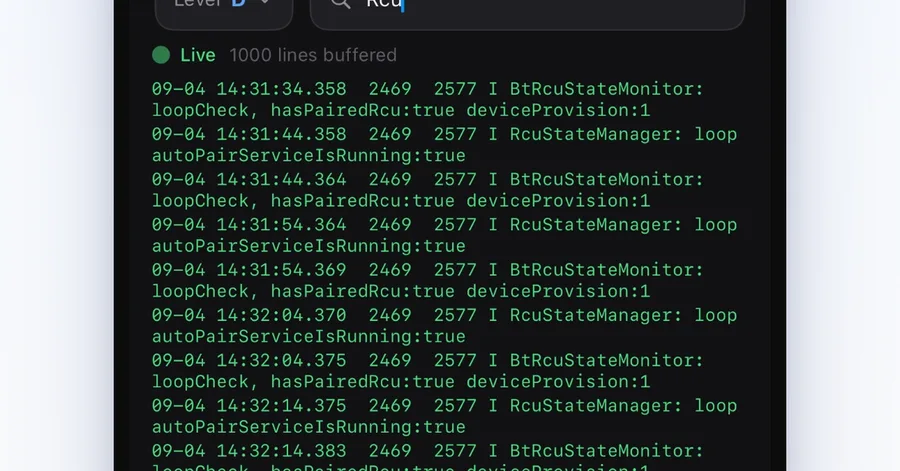
I got tired of walking to a laptop every time I needed to sideload a package, grab a screenshot, or tail logcat on a living-room box. ADB already does all of that. The pain is the ritual: USB or adb connect , a terminal, and a machine that is not on the couch. This is the wireless path I use now from an iPhone, plus the small app I built so I do not have to keep a shell open. Nearby scan: same LAN, pick an IP, connect. First pairing still happens on the box. What you need A phone/tablet/TV box that can enable developer options and wireless debugging (or “network debugging” on some OEM skins). iPhone and the box on the same LAN . Guest Wi-Fi and AP isolation will fail. You already know what ADB is. If the box cannot enable debugging, stop here — this is not a consumer remote. 1. Turn on wireless debugging on the box Path varies by skin. The usual one: Settings → About → click Build number seven times. Settings → Developer options. Enable USB debugging and Wireless debugging (Android 11+). Some TV firmwares only expose Network debugging on port 5555. On Android 11+ wireless debugging you will see the box IP and a pairing port. Keep that screen open. 2. Pair once, then connect First pairing (Android 11+ wireless debugging): The box shows a 6-digit code and a pairing port. Pair from the client with that code. After that, daily connect is IP + the connection port, no code. Older images that only open 5555 : No pairing code. If the port is reachable on the LAN, adb connect :5555 is enough. First time, the box should show an RSA allow prompt. Accept and check “always allow”. If pairing works but connect fails: AP isolation, VPN on the phone, or the box fell asleep and dropped the debug service. Wake it and toggle wireless debugging once. 3. What I actually do from the phone Once the session is up I rarely type adb by hand. The jobs that used to need a computer: D-pad / Home / Back while standing at the TV Screenshot or a short screen record, then save to Photos Browse installed packages, launch, install/uninstall Push/pull files Shell, live logcat, a simple process list Packet capture to a PCAP when something on the LAN misbehaves Same logcat job as a laptop, on the couch. Filter by level, search, export. Screencap of the box, preview, save to Photos. No USB cable. Browse and look around stay free. Write actions (install, file transfer, export, shell, multi-device) are a one-time unlock. No account, no cloud, no ads. The phone talks to the box on the LAN only. Why not just keep using a laptop You should, if it is already on the desk. I built the iPhone client because the laptop was in another room and the box was not. Official TV remotes send keys. They do not sideload, they do not give you logcat, and they do not help on firmware with no Play Store. The app ADBox on the App Store: https://apps.apple.com/app/id6777080682 Longer connect / FAQ write-up: https://unitcircle.tech/en/products/adbox/guides/adb-connect-guide I am the developer. If a step above does not match your OEM menu names, say which box and build — I will correct the article.
Wireless ADB on a TV box from an iPhone (no computer)
Circle Unit
Tags