


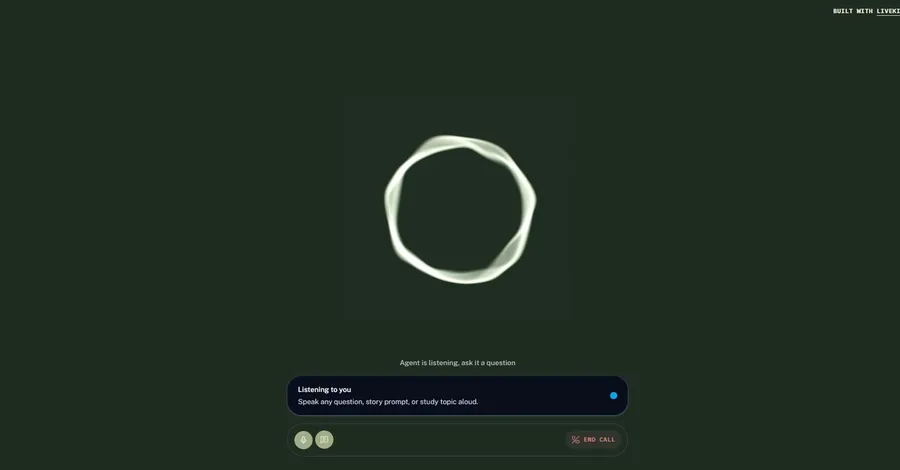
Building Vidya: An Ultra-Fast Bilingual Voice AI Tutor. Over the past 10 days, as part of the #VoiceForBharat 10 Days of Voice Agents Challenge , I built Vidya — a real-time, bilingual (English/Hindi) AI Voice Tutor designed to make learning interactive, accessible, and human-like for students across India. In this post, I’ll share the story of how Vidya came to life, dive into the architecture behind ultra-low latency voice agents, highlight the key features built over the 10 days, discuss the toughest challenges faced, and walk you through building your own production-ready voice agent using Murf Falcon TTS , LiveKit Agents , Deepgram STT , and Google Gemini . 1. Why Voice? Meet Vidya 🇮🇳 In India, text-based educational platforms often face a steep digital literacy and language barrier. Millions of learners feel intimidated by typing long queries or struggling through English-only user interfaces. Voice unlocks immediate, natural, and hands-free learning — allowing students to speak naturally in English, Hindi, or code-mixed Hinglish . Vidya serves as a personal AI learning companion: Problem Solved: Overcomes literacy and language barriers by providing empathetic, spoken literacy and science lessons. Track & Target Audience: Education & Accessibility for students, young learners, and non-native English speakers across India. Why Voice is Essential: Voice removes UI friction. Learners can simply talk to Vidya, attempt spoken exercises, ask questions, and receive instant, warm, spoken feedback in a natural Indian accent. 2. Key Features Built Across the 10-Day Journey Over 10 intensive days, Vidya grew from a basic echo bot into a multi-agent system equipped with tools, memory, telephony, analytics, and safety guardrails: 🎙️ 1. Ultra-Low Latency Indian Voice Powered by Murf Falcon Using Murf Falcon TTS ( livekit-murf ), Vidya speaks with a natural, conversational Indian voice ( Anisha ). Streaming TTS with sentence tokenization ( min_sentence_len=2 ) and text pacing delivers speech chunks with sub-second latency, giving the agent a human-like flow. 🇮🇳 2. Code-Mixed (Hinglish) & Bilingual Support Powered by Deepgram Nova-3 STT ( language="multi" ) and Google Gemini , Vidya fluently handles English, Hindi in Devanagari script, and code-mixed Hinglish phrases (e.g., "Namaste! Aaj hum beginner reading practice karenge." ). 🧠 3. Personalized Memory for Returning Users Vidya remembers returning students! Using a persistent profile store ( user_store.py ), Vidya recalls the user's name, preferred language, current learning level, and last interaction date, greeting them warmly: "Namaste Aarav, welcome back! You were working on beginner exercises. Last seen on August 14." 🛠️ 4. Interactive Learning Tools & Scraper Vidya is equipped with specialized function tools: fetch_next_exercise : Retrieves level-appropriate practice prompts tagged with data freshness timestamps ( last_updated ). score_spoken_answer : Evaluates spoken pronunciations and answers on a 0–100 scale. award_learning_star : Awards virtual gold stars (🌟) to keep learners motivated. scrape_website : Fetches live web pages in real-time ( web_scraper.py ) for live context extraction. 📞 5. Outbound Telephony (SIP Calls) Integrated with LiveKit's SIP Trunking ( telephony/outbound/dial.py ), Vidya can initiate active outbound phone calls to learners' mobile phones for daily study check-ins and practice sessions. 🛡️ 6. Human Escalation Engine with Explicit Consent If a learner is stuck, frustrated, or requests a human teacher, create_escalation logs an escalation ticket ( ESC-12345 ) and alerts support staff. Vidya follows strict privacy guardrails — asking for explicit permission before saving any personal details or submitting tickets. 📊 7. Call Analytics Dashboard Session outcomes are tracked in call_store.py — logging call duration, agent type (browser vs. telephony), completion status ( successful / failed ), and success reasons ( exercise_scored , star_awarded , escalated_to_human ). 🔄 8. Dynamic Multi-Agent Handoffs When a student asks a physics question (e.g., "Why does an apple fall from a tree?" ), Vidya seamlessly hands off the conversation to Dr. Homi (Physics Specialist) using LiveKit's context.session.update_agent() . When physics practice ends, Dr. Homi hands the student back to Vidya for reading practice! 3. The Tough Parts: Lessons Learned Building a real-time voice agent isn't just about linking APIs together. Here are three major hurdles faced and solved: Challenge #1: Eliminating Awkward Conversational Latency The Problem: Combining STT, LLM, and TTS in sequence created a 2–3 second delay before the agent responded, ruining natural turn-taking. The Solution: We enabled streaming at every tier — Deepgram Nova-3 streaming STT, Gemini Flash Lite for fast first-token generation, LiveKit's preemptive generation, and Murf Falcon's low-latency streaming TTS with sentence boundary tokenization ( min_sentence_len=2 ). Challenge #2: Explicit Consent & Privacy in Spoken AI The Problem: Function tools automatically firing to record user profiles or create tickets without the user realizing. The Solution: We designed prompt-level guardrails requiring Vidya to explicitly ask out loud: "I can remember that for next time — may I save this?" or "May I share your details with a real teacher?" before invoking mutation tools. Challenge #3: Preserving Session State During Agent Handoffs The Problem: Switching from Vidya to Dr. Homi mid-call could cause audio glitches or lose participant state. The Solution: Leveraged LiveKit Agents SDK's native session.update_agent() combined with WebRTC data channel events ( agent_handoff ) to update the Next.js frontend UI live without dropping the WebRTC room session. 4. Architecture Overview & Code Highlights +------------------+ WebRTC Audio Stream +---------------------+ | | -------------------------> | Deepgram Nova-3 | | Learner / UI | | Streaming STT | | (Next.js App) | <------------------------- +----------+----------+ +--------+---------+ Real-time Audio Out | ^ v | RTC Data Channel +---------------------+ | (State & Handoffs) | Google Gemini LLM | | | (Flash Lite Model) | +-------------------------------------- +----------+----------+ | v +---------------------+ | Murf Falcon TTS | | (Streaming Indian) | +---------------------+ Code Snippet: LiveKit Pipeline with Murf Falcon TTS ( agent.py ) from livekit.agents import AgentSession , AgentServer , room_io from livekit.plugins import deepgram , google , murf , silero , noise_cancellation session = AgentSession ( stt = deepgram . STT ( model = " nova-3 " , language = " multi " ), llm = google . LLM ( model = " gemini-3.5-flash-lite " ), tts = murf . TTS ( voice = " Anisha " , # Murf Falcon Indian accent voice style = " Conversation " , tokenizer = tokenize . basic . SentenceTokenizer ( min_sentence_len = 2 ), text_pacing = True , ), turn_detection = MultilingualModel (), vad = ctx . proc . userdata [ " vad " ], preemptive_generation = True , ) Code Snippet: Dynamic Multi-Agent Handoff ( agent.py ) @function_tool async def transfer_to_physics_specialist ( self , context : RunContext , reason : str ) -> str : """ Hand off the conversation to Dr. Homi when user asks physics questions. """ logger . info ( " Handing off conversation to PhysicsSpecialist. Reason: %s " , reason ) specialist = PhysicsSpecialist () context . session . update_agent ( specialist ) # Notify Next.js frontend UI via WebRTC data channel payload = json . dumps ({ " type " : " agent_handoff " , " from_agent " : " Vidya (Literacy Tutor) " , " to_agent " : " Dr. Homi (Physics Specialist) " , " message " : " 🔄 Switched conversation to Physics Specialist (Dr. Homi) " }) await context . room . local_participant . publish_data ( payload = payload . encode ( " utf-8 " )) return " I will connect you to our physics specialist. " 5. How to Build Your Own Voice Agent (Quickstart) Want to build your own voice AI agent? You can clone and run our open-source repository in minutes! Step 1: Clone the Repository git clone https://github.com/hotokeAtlast/murf-livekit-starter.git cd murf-livekit-starter Step 2: Set Up Backend Environment Keys Copy backend/.env.example to backend/.env.local and fill in your keys: LIVEKIT_URL=wss://your-livekit-project.livekit.cloud LIVEKIT_API_KEY=your_key LIVEKIT_API_SECRET=your_secret MURF_API_KEY=your_murf_api_key DEEPGRAM_API_KEY=your_deepgram_api_key GOOGLE_API_KEY=your_google_gemini_api_key Step 3: Run the Python Backend cd backend uv sync uv run python src/agent.py dev Step 4: Run the Next.js Frontend In a new terminal: cd frontend pnpm install pnpm dev Open http://localhost:3000 , click Connect , and start talking to your voice agent! 6. Links & Repository 🐙 GitHub Repository: murf-livekit-starter on GitHub 🔊 TTS Engine: Powered by Murf Falcon Streaming API ⚡ Voice Framework: Built with LiveKit Agents SDK
Building Vidya: An Ultra-Fast Bilingual Voice AI Tutor with Murf Falcon & LiveKit (10 Days of Voice Agents)
DanitZ